Microsoft has rolled out a major Link to Windows update that significantly improves how Android smartphones interact with Windows 11 PCs. The latest upgrade introduces remote PC locking, smoother file sharing, one-tap screen mirroring, and deeper system-level integration, making cross-device usage more seamless than ever. The update began rolling out gradually in mid-December and is available through the latest version of the Link to Windows app on Android.
A Smarter Connection Between Android and Windows 11
With this Link to Windows update, Microsoft is clearly pushing toward a more unified ecosystem between mobile and desktop devices. The goal is simple: allow users to move effortlessly between their Android phone and Windows 11 PC without breaking workflow. Once updated, users can access several new productivity-focused features directly from their phone.
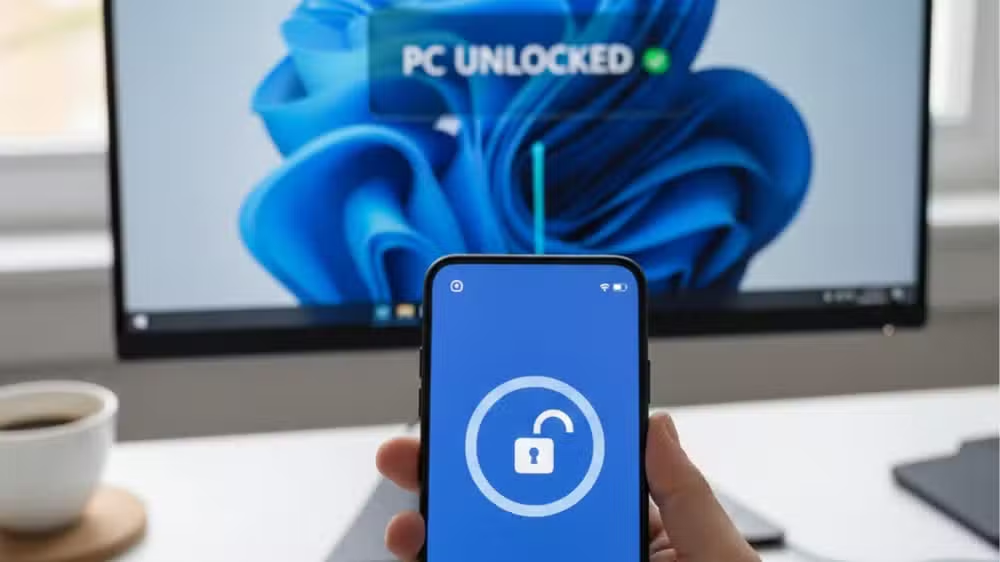
One of the most talked-about additions is the ability to remotely lock a Windows 11 PC using an Android device. This feature is especially useful for users who step away from their computer and forget to lock it. With a single tap on the Lock PC button in the app, the connected computer locks almost instantly, adding an extra layer of security.
Improved File Sharing and Clipboard Sync
File transfer has always been a key expectation for cross-device tools, and Microsoft has taken a noticeable step forward here. The Link to Windows update now allows users to send files from their Android phone to their Windows 11 PC and receive files from the PC to the phone with ease. This removes the need for third-party apps, cables, or cloud uploads for basic file sharing.
Clipboard synchronization has also been enhanced. Users can now copy and paste not just text, but also images, across devices in real time. For example, you can copy an image on your phone and paste it directly into a document on your PC, or copy text from a website on your computer and paste it into a messaging app on your phone.
One-Tap Screen Mirroring
Screen mirroring has been refined and made more accessible in this update. With a single tap, users can mirror their Android phone’s screen on their Windows 11 desktop. This is particularly helpful for presentations, app demonstrations, or simply responding to messages without picking up the phone.
Unlike earlier versions that required multiple steps, the new approach focuses on speed and simplicity. The smoother screen mirroring experience further strengthens the value of the Link to Windows update for users who multitask heavily across devices.
Recent Activity Panel for Better Visibility
Another useful addition is the new recent activity panel. This section displays recently shared files, links, and cross-device actions, giving users a quick overview of what has been transferred between their phone and PC. It helps users keep track of recent interactions without digging through folders or apps.
This feature may seem small, but it significantly improves usability, especially for people who frequently move content between devices throughout the day.
Real-Time PC Status on Your Phone
The Link to Windows update also introduces real-time system information viewing on Android. Users can now see their connected PC’s battery level and Wi-Fi signal strength directly within the app. The data refreshes roughly every minute, providing a convenient snapshot of the PC’s status without needing to be physically near it.
For laptop users, this feature is particularly useful when working remotely or moving between rooms, as it helps monitor battery life and connectivity at a glance.
Availability and How to Update
Microsoft has confirmed that the rollout is happening in stages, so not all users may see the new features immediately. Some of these tools were previously tested in beta versions, but the current release marks their wider availability.
To check for the Link to Windows update, Android users should open their phone’s Settings, go to Advanced features, tap Link to Windows, then open the three-dot menu and select About Link to Windows. From there, any available update can be installed.
Users who have not yet set up Phone Link on Windows 11 can enable it easily through the Start menu, where Microsoft has added a dedicated side panel to simplify the process.
A Step Toward a Unified Ecosystem
This update shows Microsoft’s continued commitment to improving Android and Windows integration without forcing users into a single hardware ecosystem. By adding practical features like remote PC locking, faster file sharing, and enhanced screen mirroring, the Link to Windows update makes daily computing more flexible and secure.
For Android users who rely on Windows 11, this upgrade is more than just a convenience it’s a meaningful productivity boost that brings mobile and desktop experiences closer together.